A phone-friendly upload link for every renewal.
Contractors should not need an account, an app or instructions. Each renewal can have its own link: they open it, take a photo or pick a PDF, and the document goes straight to review.
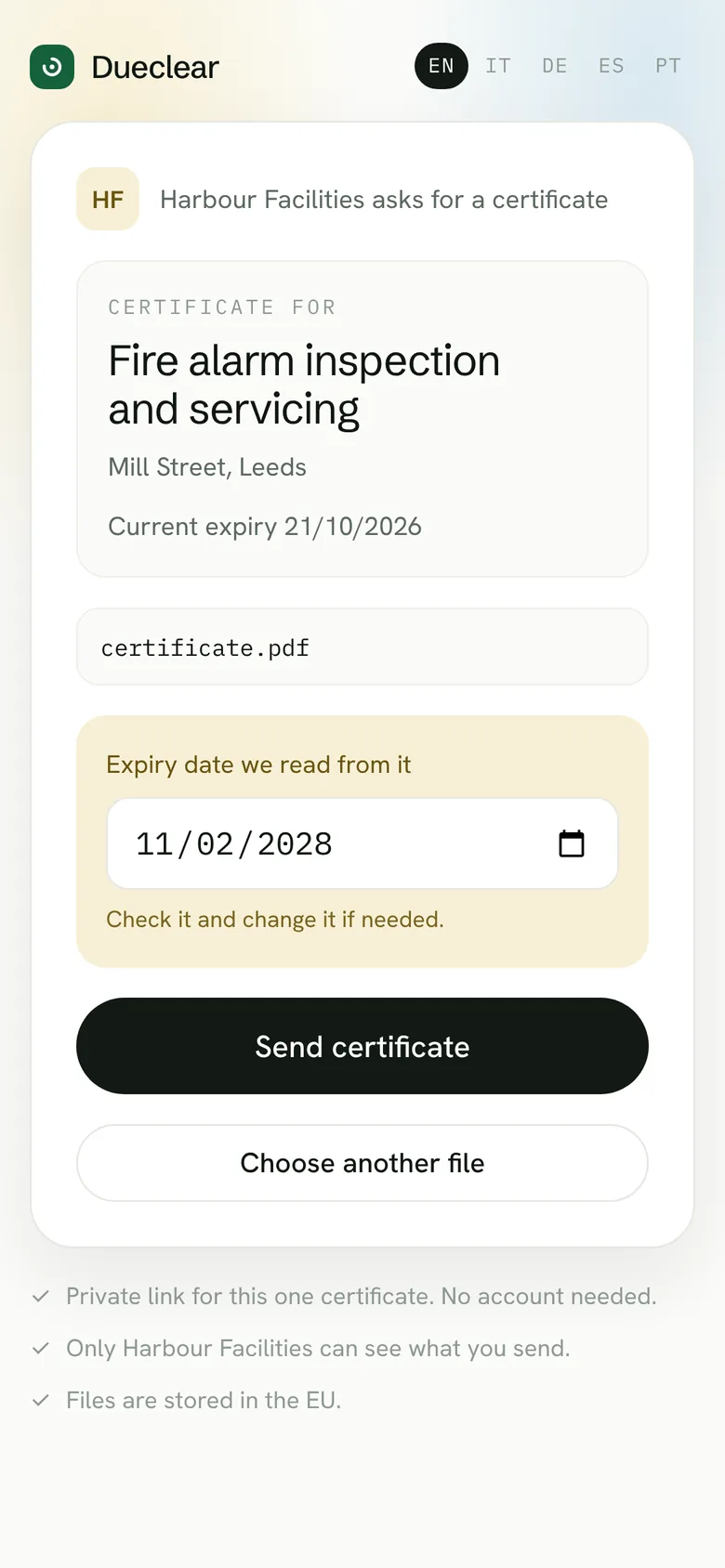
From request to review in four steps.
You send the link
From the renewal, copy the upload link or let the reminder include it.
They open it on their phone
The page names your company, the building and the certificate you need. Nothing else.
They send a photo or PDF
One tap to take a photo or choose a file. No sign-up, no password.
It waits for your review
The document arrives in review. The record changes only when someone approves it.
Simple for them, safe for you.
No account, no app
Works in any phone browser. The contractor never needs a login.
One link, one renewal
The link opens the upload page for that renewal only and shows no other records.
It expires
Each link has an end date, after which it stops working.
In their language
The upload page is shown in the contractor's language.
Nothing changes on its own
Uploads always go to review first. A wrong file can never overwrite a good certificate.
Photos and PDFs
A clear photo of a paper certificate is fine. So is the PDF from the inspector's email.
Where this stands. The upload page in the demo shows the experience, but files are not stored. For the first release, links will be unique and expiring, and uploads will be stored privately and reviewed before use.
Questions about uploads
Can a contractor see other buildings?
No. A link opens one renewal only and shows only what the contractor needs to know about it.
What if they upload the wrong file?
It waits in review. The reviewer sends it back with a reason, and the contractor uses the same link again.
How large can a file be?
The demo page mentions up to 20 MB, which covers phone photos and typical PDFs.