Explore the demo
Reminders and chasing

Reminders that chase, so you don't have to.

Every renewal has someone responsible and, usually, a contractor who has to do the work. Dueclear reminds both, at the right time, in their own language, with one link to send the replacement.

dueclear.app
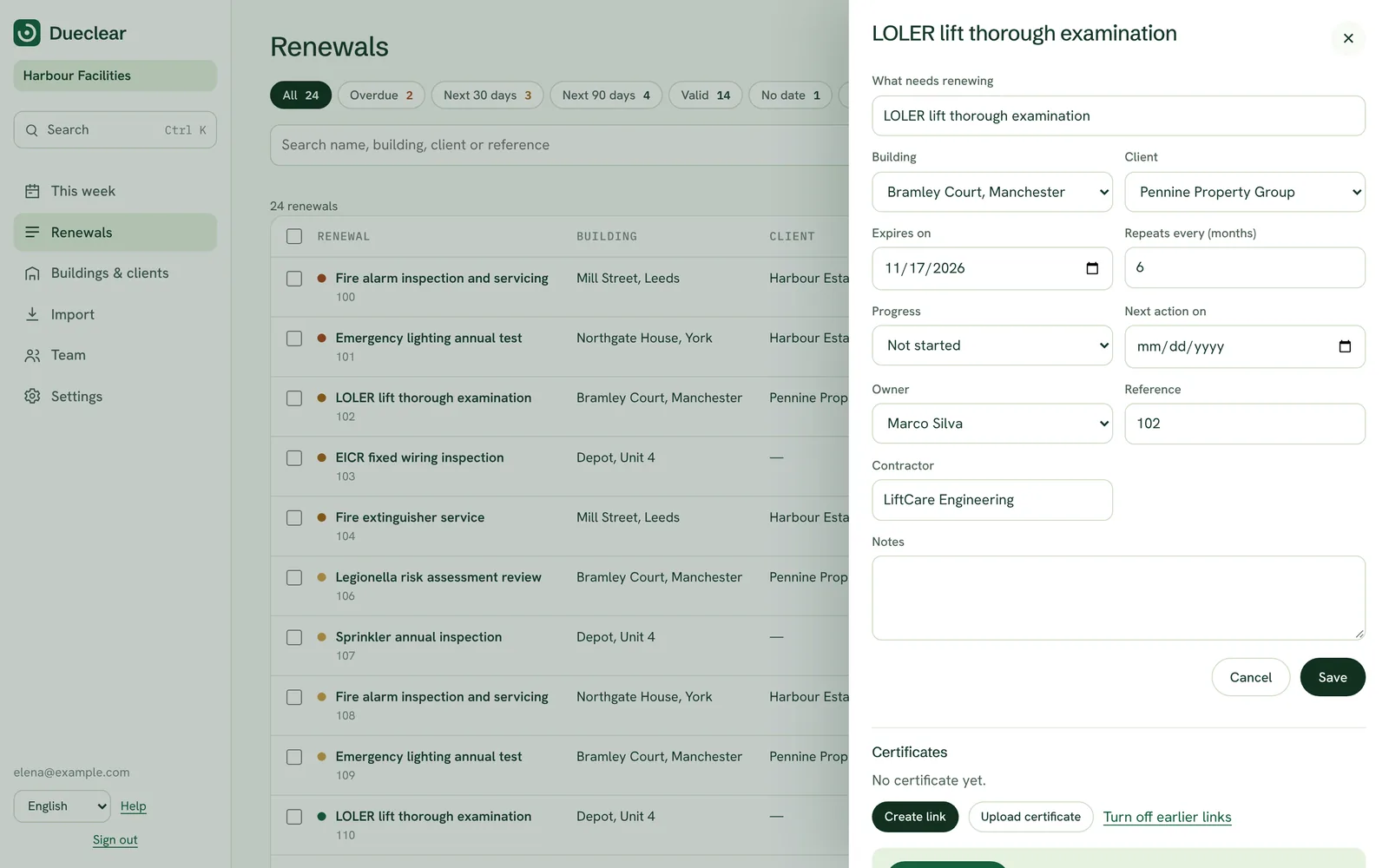
Chase message on a renewal

Where this stands. In the demo you can see the reminder message and the upload link for each renewal, but nothing is sent. Scheduled sending is being built for the first release. This page describes how it will work.

The default schedule

A reminder ladder, not a single alarm.

One reminder the day before is too late for an inspection that needs booking weeks ahead. Dueclear starts early and escalates gently. You can change the timing for each renewal.

  1. 90 days
    Heads-up to the owner

    A short note that the renewal is coming, with the building and current certificate.

  2. 60 days
    Request to the contractor

    The contractor is asked to book the work, with an upload link for the new certificate.

  3. 30 days
    Reminder to both

    If nothing has been booked or uploaded, the owner and the contractor are reminded.

  4. Due date
    Escalation

    The account lead is told that the renewal is due today and what stage it is in.

  5. Overdue
    Daily summary

    Overdue renewals appear in a daily summary until they are resolved.

Smarter than a calendar

Reminders that know what stage you are at.

Because Dueclear tracks progress, not just dates, each reminder fits the situation.

Booked means wait

Once an inspection is booked, reminders stop asking for a booking and wait for the certificate instead.

Stops when it arrives

As soon as the document is uploaded, reminders stop. Nobody gets chased for something they already sent.

In their language

Each person gets messages in their own language, whatever language you work in.

One link, one job

The contractor's link opens the upload page for that renewal only.

Everything recorded

Every reminder appears in the renewal's history, with the date and the recipient.

A weekly digest

Owners can get one summary a week instead of many separate emails.

Questions about reminders

Do reminders go by SMS or WhatsApp?

Email first. Text and WhatsApp messages cost money per message and need consent handling, so we will add them only if customers need them.

Can we change the schedule?

Yes. The default schedule can be changed for the whole account and for individual renewals.

Who receives reminders?

The owner of the renewal, the contractor if one is set, and the account lead for escalations. You choose who gets what.

Can contractors reply?

They use the upload link to send the document. Replies to the email go to your team's inbox.

Get started today

Open the demo with example data and run a renewal from import to client report. No sign-up, nothing sent.