One record for every renewal, from request to approval.
Dueclear connects each certificate to its building, client, owner, next action and replacement document. This page walks through the whole workflow, one step at a time.
The others store dates. Dueclear does the next step.
Six things you notice in the first ten minutes, and that the tools we compared do not do together.
This week, one click each
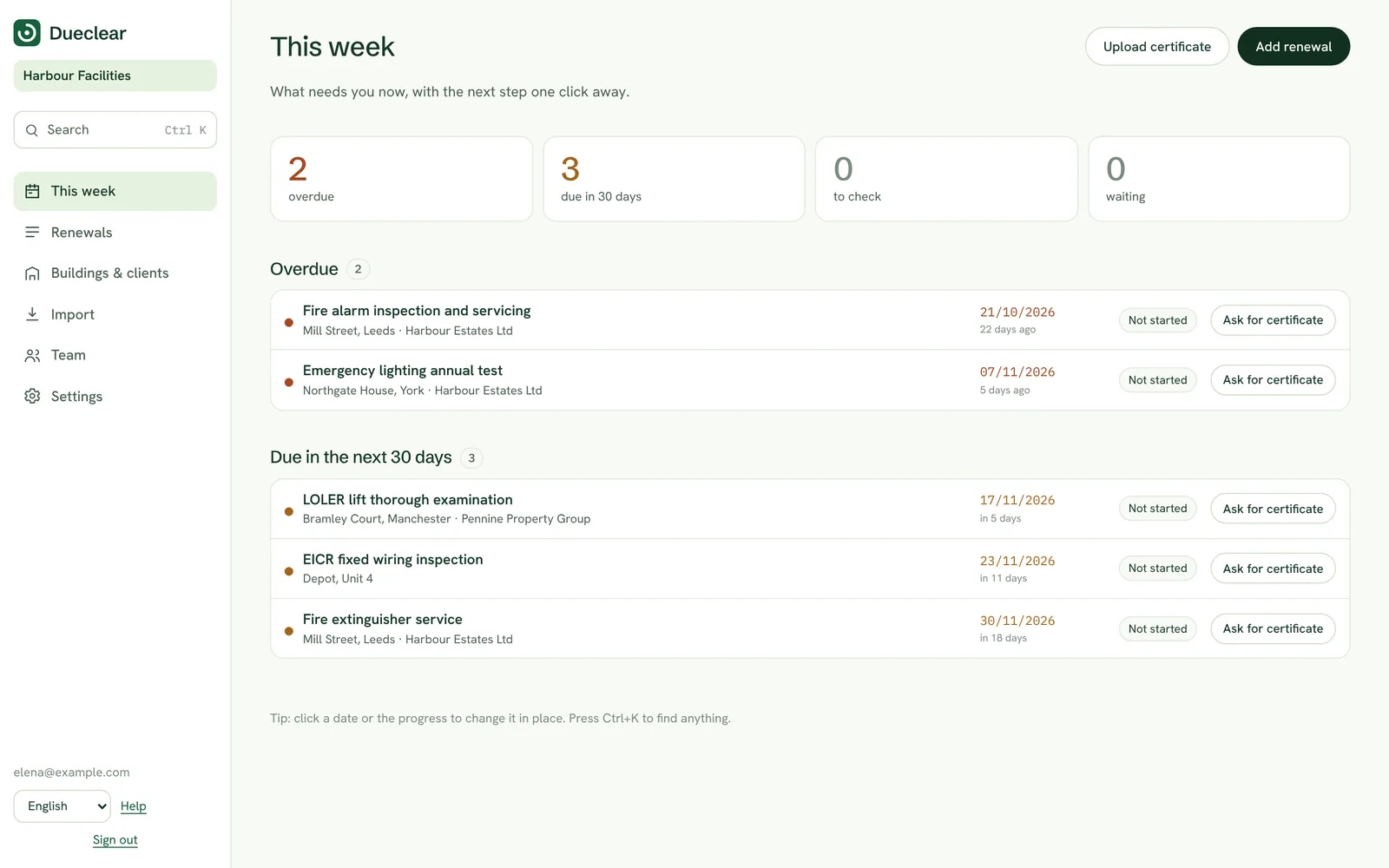
Open Dueclear and see only what needs you: overdue, due soon, certificates to check and contractors to chase. Every row has its next step as a button.
- Counts you can act on
- Next step on every row
- All clear when nothing is due
Drop a certificate anywhere
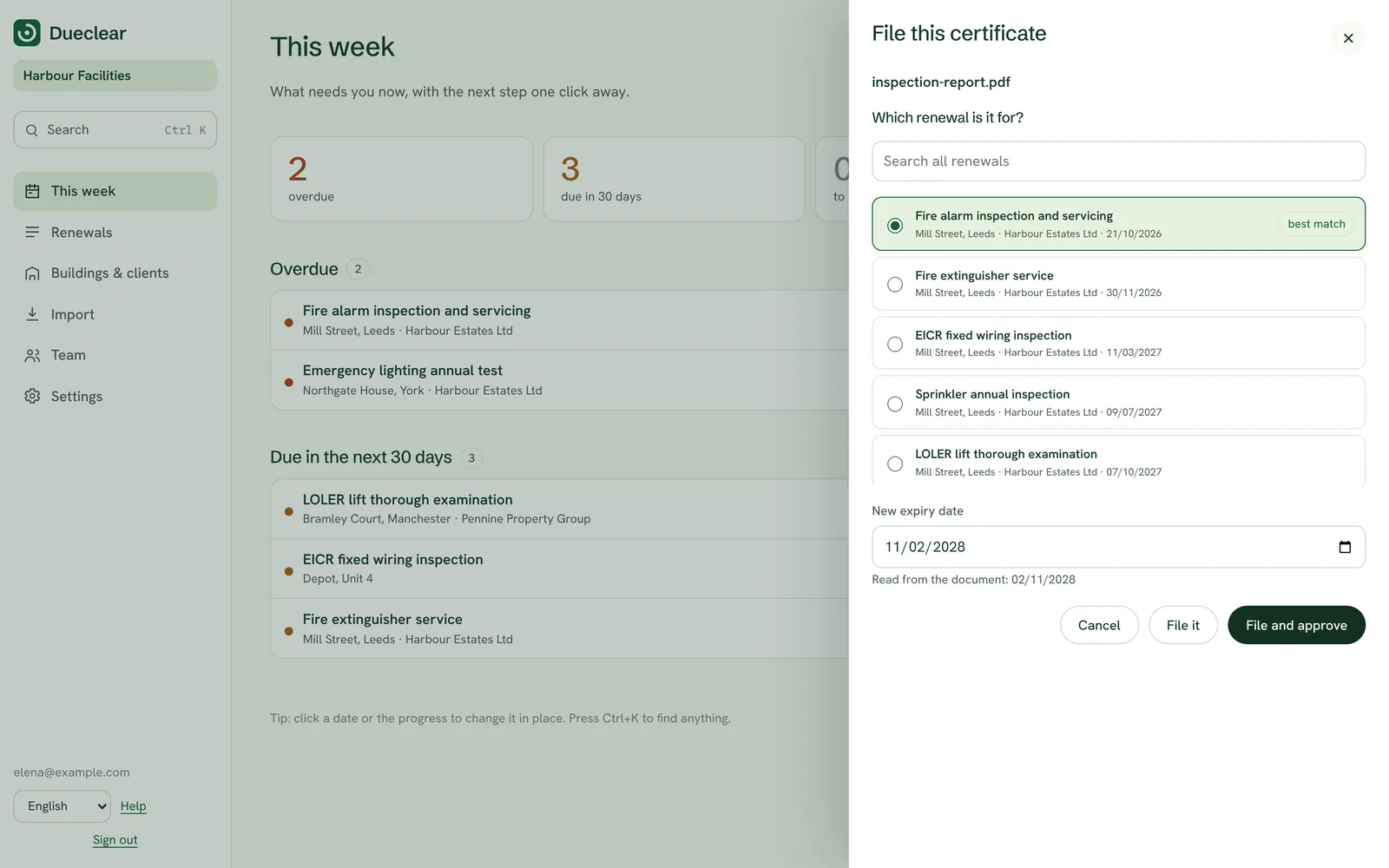
Drag a PDF onto any screen. Dueclear reads the expiry date, picks the renewal it belongs to and files it with one click. The file is read in your browser and leaves your computer only when you confirm.
- Expiry date read for you
- Matched to building and renewal
- Several files in one go
Country lists built in
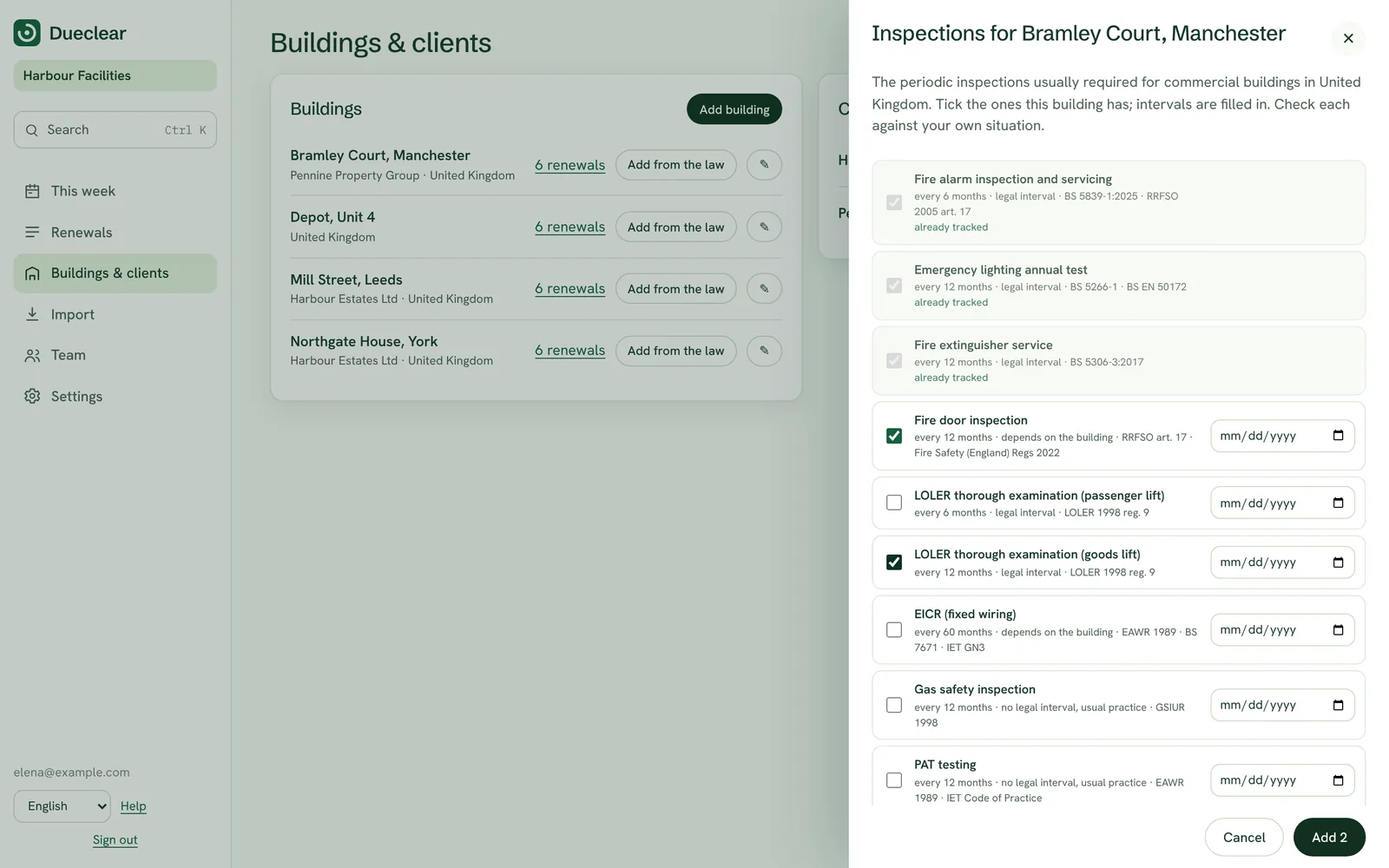
Add a building in Italy, Germany, Spain, Portugal or the UK and tick the inspections it needs. Intervals are filled in, with the rule they come from.
- Legal intervals filled in
- The rule shown on each item
- Suggestions as you type
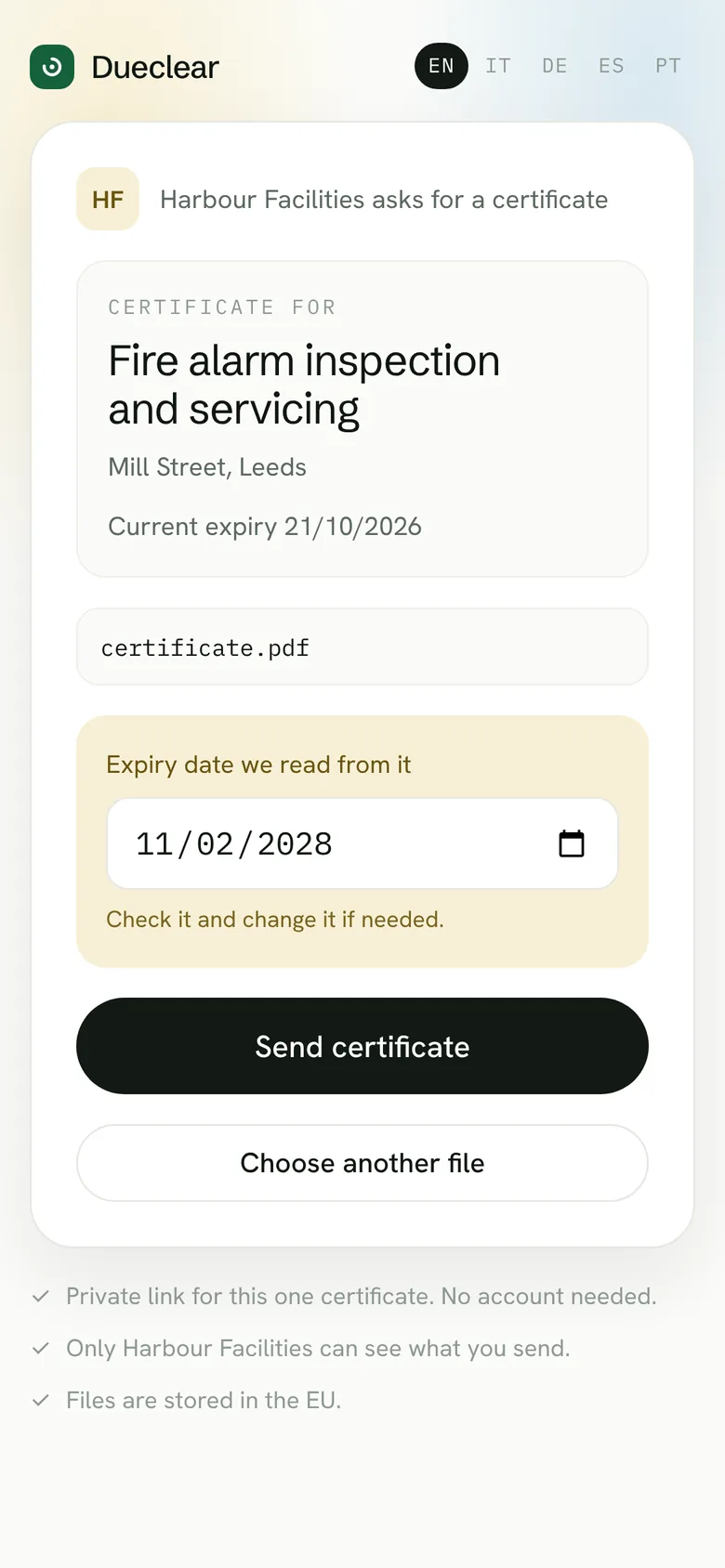
Contractors upload from their phone
Send a private link for one renewal by email or WhatsApp. No account, no app. Their PDF is read too, so the date arrives ready to check.
- Message written for you
- Works on any phone
- Waits for your approval
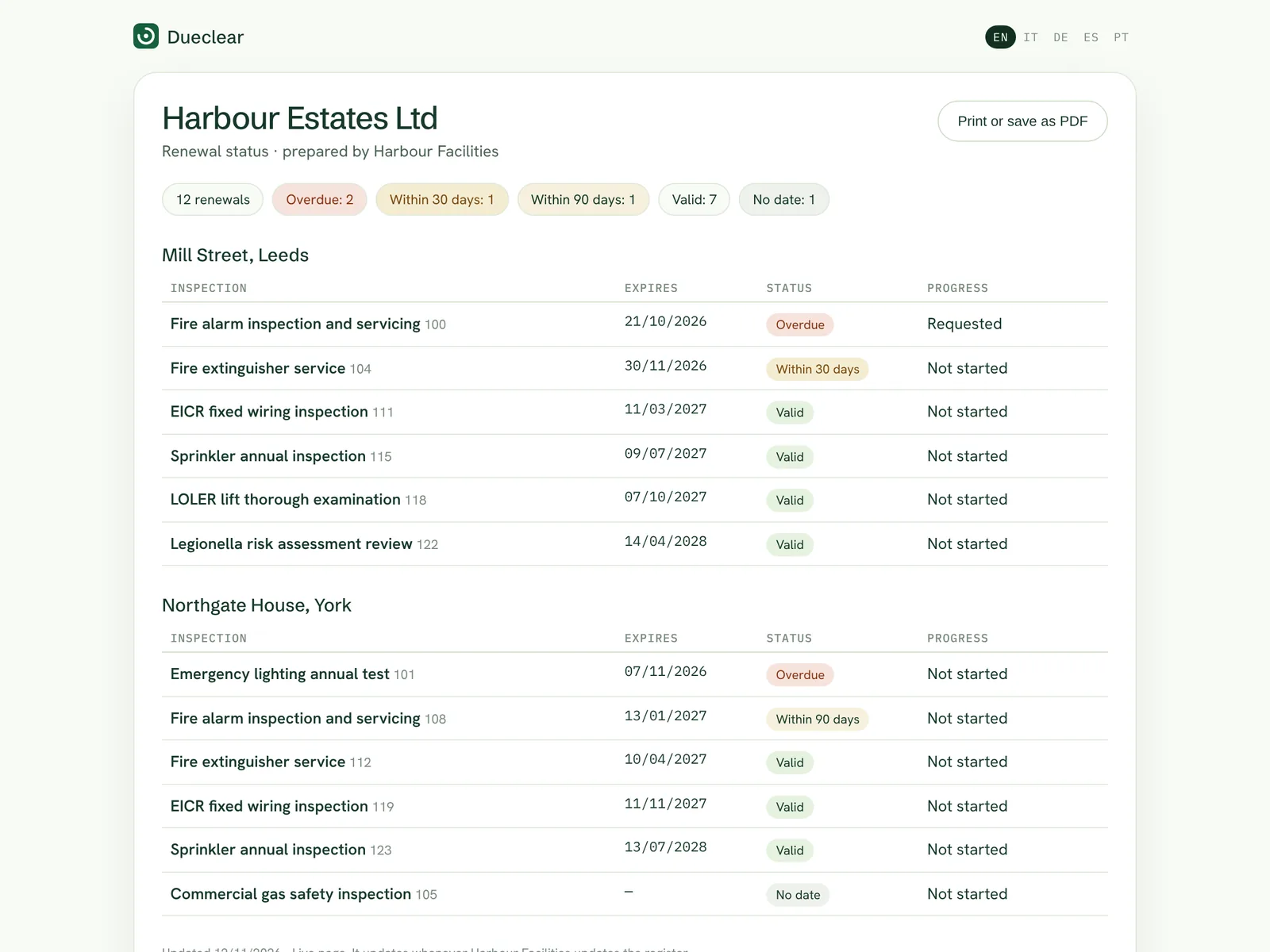
A live page for each client
Give a client a link that always shows the status of their buildings. No more monthly spreadsheet. Turn it off whenever you like.
- Always up to date
- No names or emails shown
- Print or save as PDF
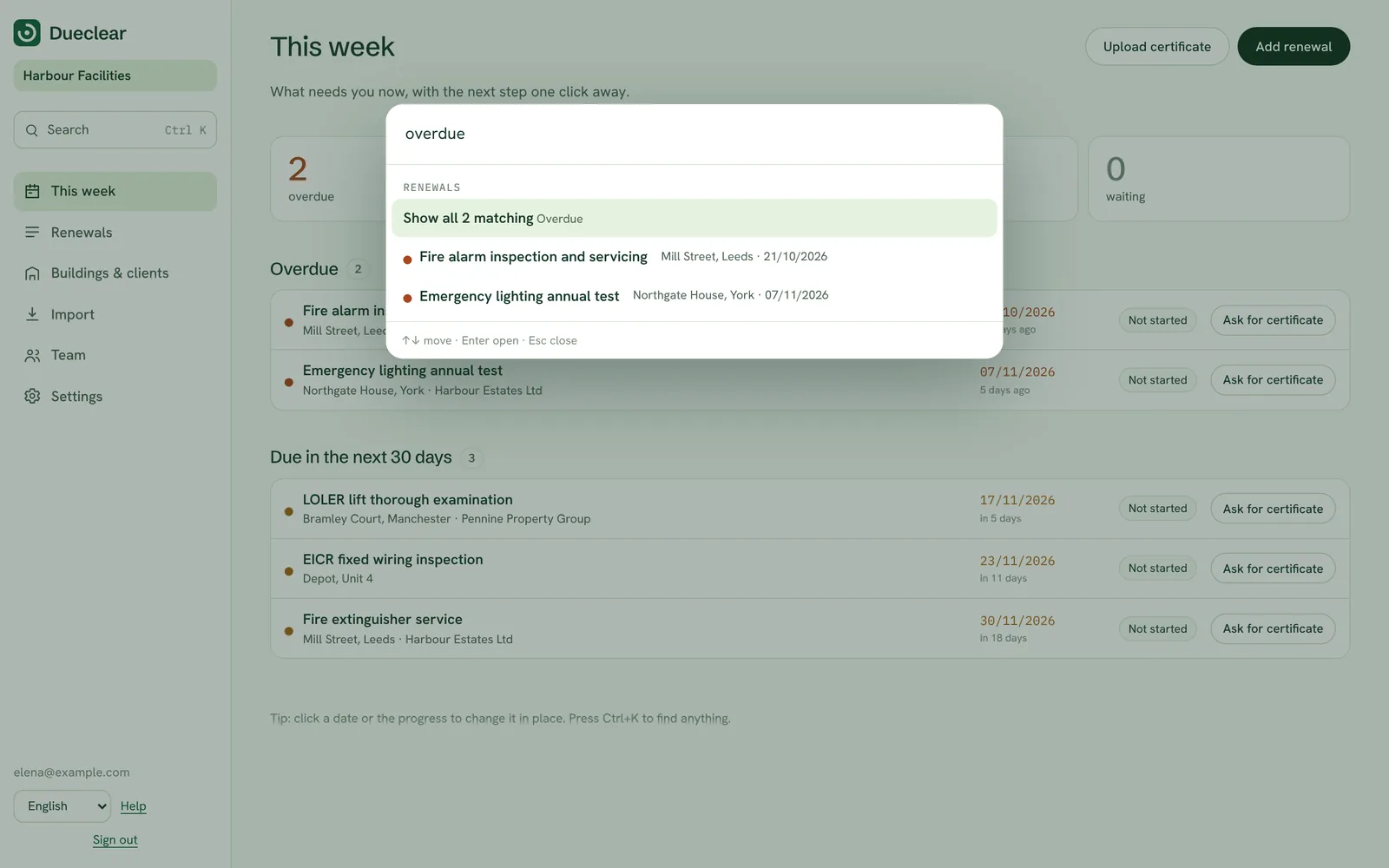
Fast, like the apps you love
Ctrl+K finds anything in plain words, such as "overdue Milano". Click a date to change it, select rows to update many at once, and follow every expiry in your own calendar.
- Find anything with Ctrl+K
- Edit in place, act on many
- Google, Outlook and Apple calendar
Six steps, always in the same order.
Every renewal moves through the same clear steps. You always know what has happened and what comes next.
1. Import
Bring your existing Excel or CSV register. Columns, dates and custom fields are matched for you.
Import2. Assign
Give every renewal an owner, a client and a next-action date. Nothing is left without a name.
3. Remind
Owners and contractors are reminded on a schedule, in their own language.
Reminders4. Collect
Contractors upload the replacement from their phone through a link for that renewal.
Uploads5. Review
A person checks the document against the building and date, then approves it or asks for a correction.
Review6. Report
Export a dated register for one client, ready for their meeting or audit.
ReportsSee what needs doing this week.
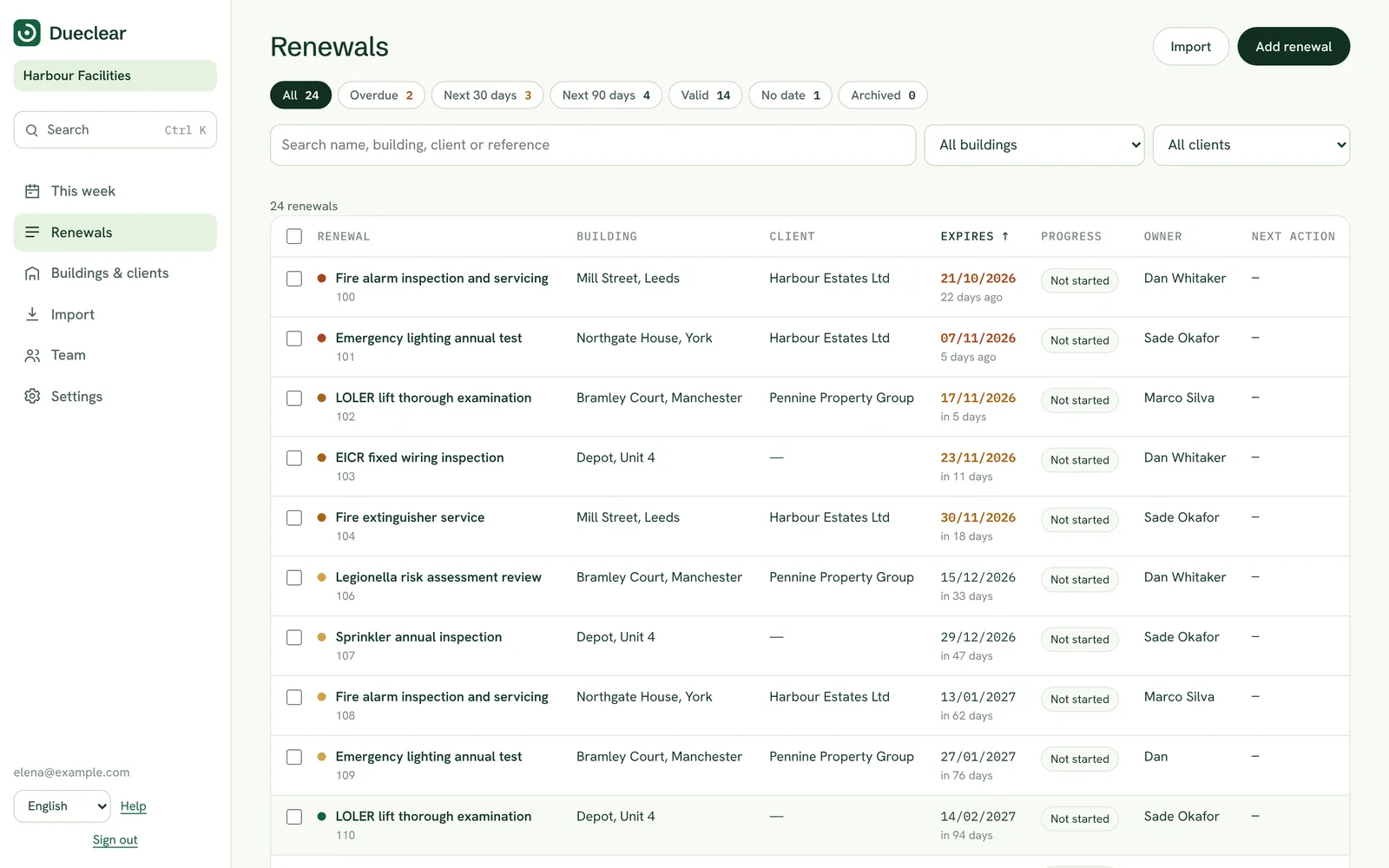
The work queue lists every open renewal with its building, client, owner, progress and next-action date. Sort it by what is due first, or filter it to one client before a call.
It is the screen your team opens every morning. It answers one question: who is doing what next?
- Next-action date on every row
- Filter by client
- Progress stage visible at a glance
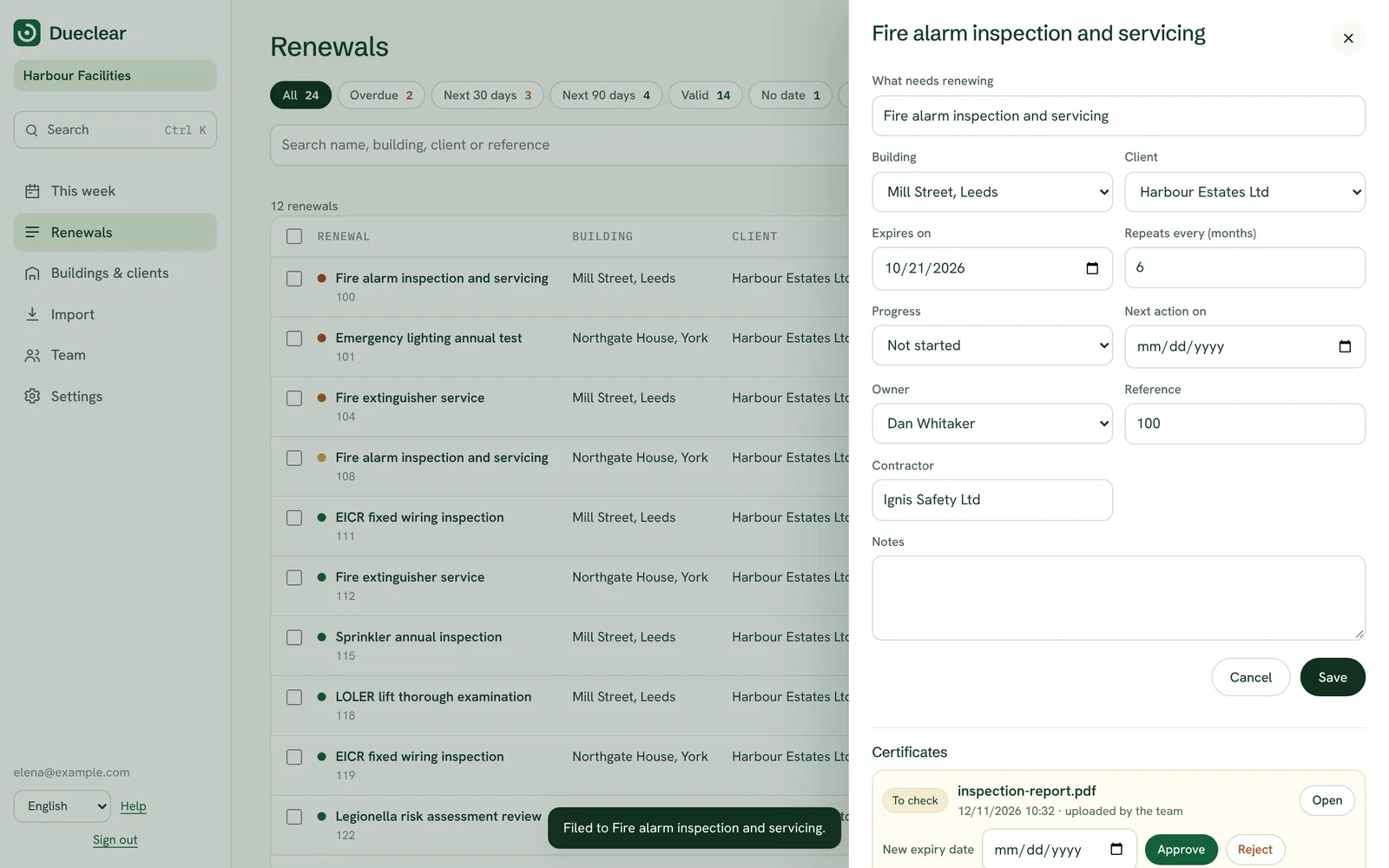
Everything about one renewal, in one place.
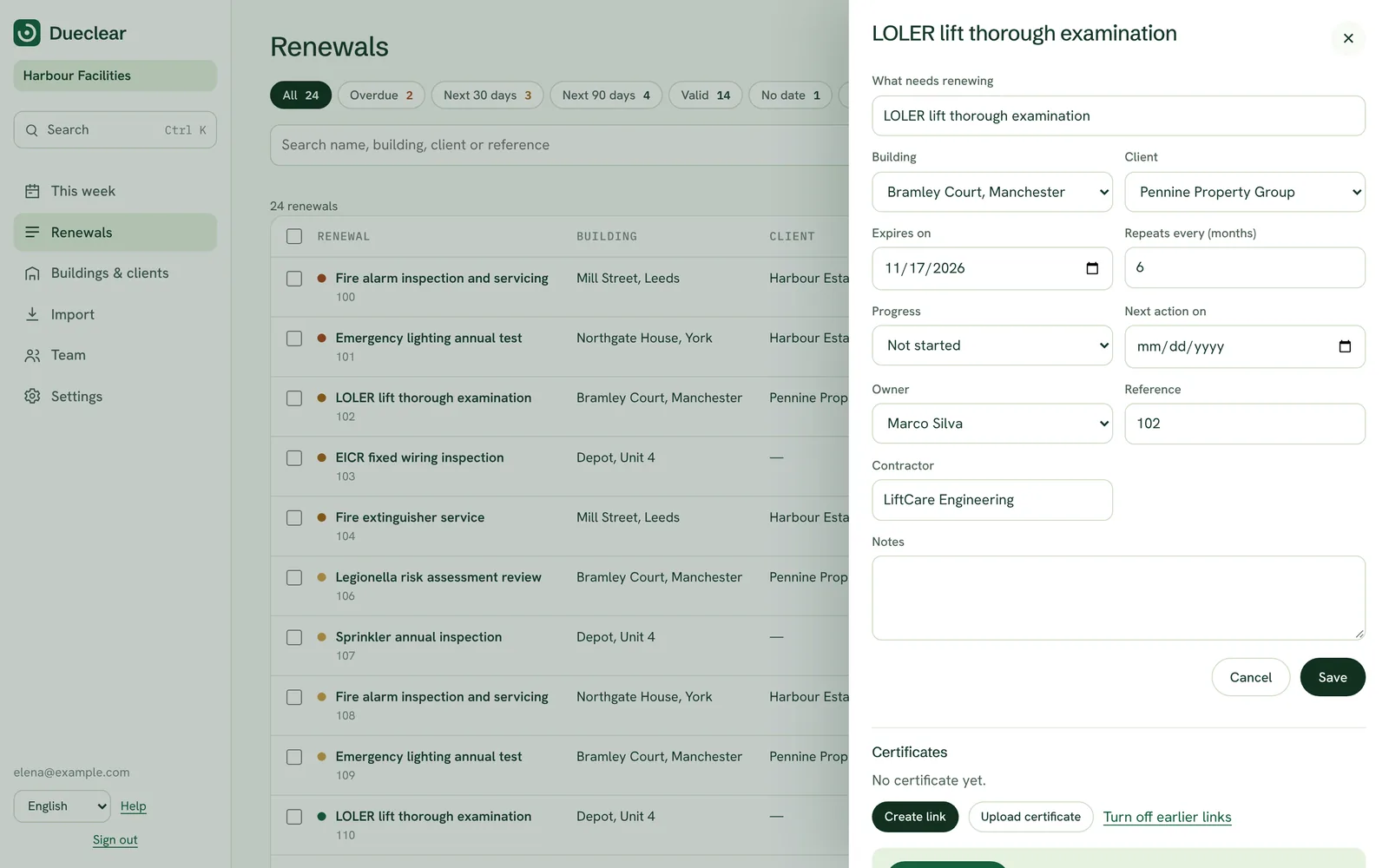
Open any renewal to see and edit its client, owner, stage and next action. The drawer also shows the building, the official reference list it belongs to, and the full history of what happened.
From here you can prepare the message to the contractor and the upload link for this renewal.
- Edit owner, client and next action
- Chase message and upload link
- Complete history
A live page instead of a monthly spreadsheet.
Give each client a private link that always shows their buildings, what is valid, what is due and where each renewal stands. It shows no names or emails, and you can turn it off at any time.
Clients stop asking for updates, and your account lead stops building reports by hand.
- Always up to date
- Grouped by building
- Print or save as PDF
Review replacements on the existing record.
When a contractor uploads a new certificate, it waits in review. The reviewer sees the source next to the proposed expiry date, ticks that the building and date are right, and approves it. Or they send it back with a reason.
The previous certificate stays in the history, so you can always show what was valid and when.
- Source and dates side by side
- Corrections with a reason
- Old certificates kept
Booked is not the same as approved.
A spreadsheet has one cell for a date. Dueclear tracks where each renewal really stands, so an inspection that is only booked never looks finished.
| Stage | What it means |
|---|---|
| Not started | Nothing has happened yet. The renewal is on the list with its due date and owner. |
| Request sent | The contractor has been asked to book the inspection or send the replacement. |
| Inspection booked | A date is agreed. This is progress, not proof: the certificate does not exist yet. |
| Awaiting document | The work is done and the new certificate is expected. |
| Needs correction | A document arrived but something is wrong, such as the building, the date or the certificate type. |
| Approved | A person checked the replacement and approved it. The record now shows the new expiry date. |
The details that make it work every day.
Five languages
English, Italian, German, Spanish and Portuguese. Each person chooses their own, independently of the building's country.
Your own fields
Any extra column in your register becomes a custom field. You can add more later, such as contractor or contract number.
Unlimited team members
Every plan includes your whole team, so nobody shares a login to save money.
Client views
Filter the queue and reports by client. Prepare for one client's meeting without the others getting in the way.
Full history
Every change, upload, correction and approval is recorded on the renewal.
Exports
Download a client register as a dated HTML report or CSV whenever you need it.
Where things stand. Dueclear is in private testing with its first teams. Everything on this page works today; email and text reminders switch on at launch, together with the sending domain. See the questions page for details.