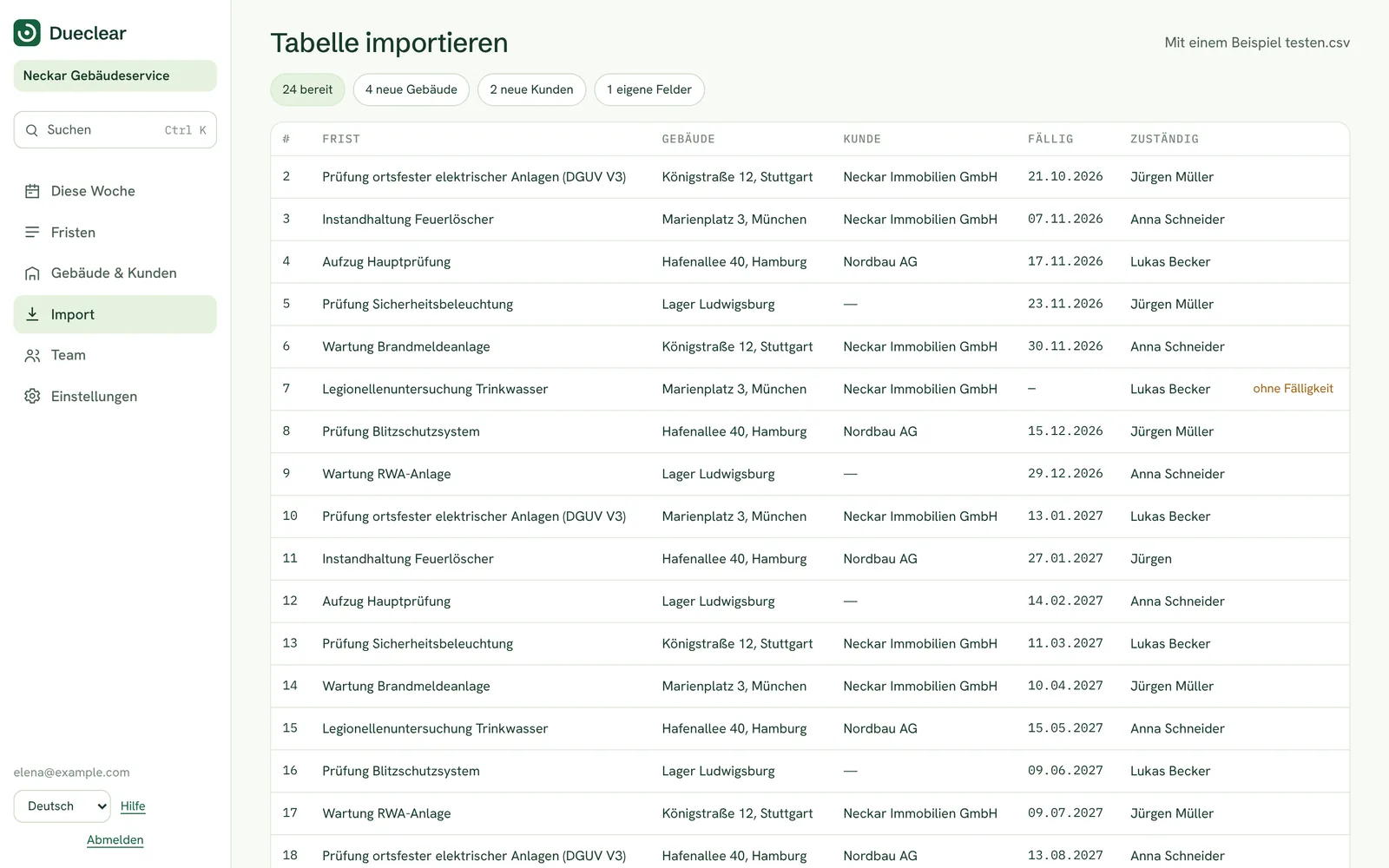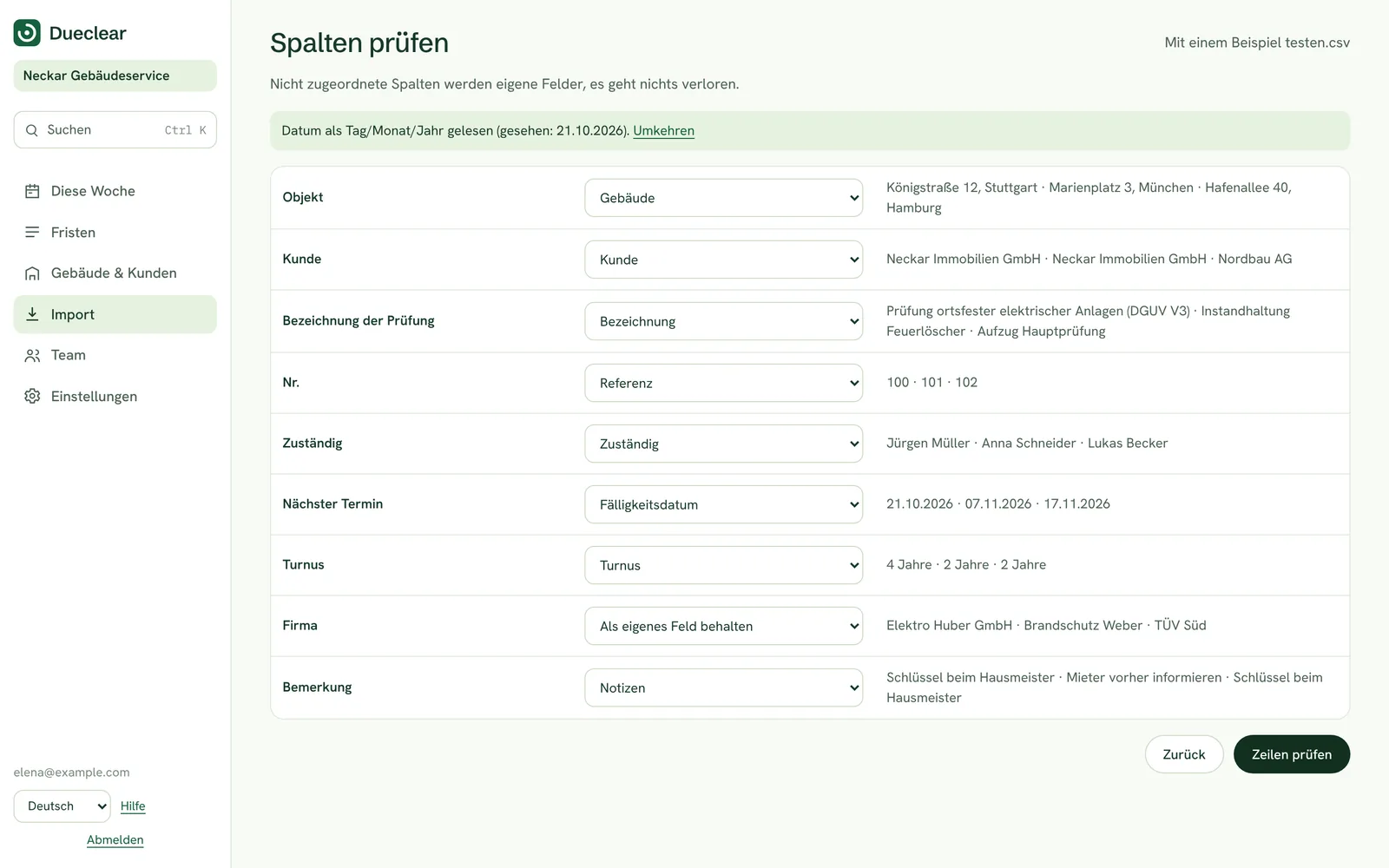
Eight checks in a couple of seconds.
Dueclear reads your file in your browser and goes through the same steps every time, so the result is predictable.
- Step 1Reads the file where it is
In the demo your file never leaves your computer. It is read in the browser and nothing is uploaded.
- Step 2Finds the real header row
Registers often start with a title, an export date or a blank line. Dueclear scores the first rows and picks the one that looks like headers, then tells you how many rows it skipped above it.
- Step 3Detects the separator
Comma, semicolon, tab or pipe. Excel in Italy, Germany, Spain and Portugal saves CSV files with semicolons, and Dueclear handles both.
- Step 4Matches columns by name
Column names are recognised in five languages: Scadenza, Ablaufdatum, Vencimiento, Validade and Expiry all become the expiry date.
- Step 5Matches columns by content
If a header means nothing, such as Col4, Dueclear looks at the values. Dates in the future suggest an expiry, two-word names suggest people, and words like inspection or extinguisher suggest the item.
- Step 6Reads dates in your format
It looks for proof of the format. A value like 14/03/2027 can only be day first. If nothing proves it either way, it uses your region's format and says so.
- Step 7Checks every row
Each row is marked ready, to check or needs a date. You can fix a date directly in the table.
- Step 8Imports, and says what it skipped
The button tells you how many items will be imported, and a note tells you how many rows will be left out and why.