Inizia gratis
Questa pagina non è ancora tradotta: stai leggendo la versione inglese.
Review and approval

Check every replacement before it counts.

A certificate arriving is not the same as a certificate being right. In Dueclear every replacement waits in review until a person has checked it against the building and the date.

dueclear.app
Review
A typical case

The wrong building, caught in time.

A fire alarm certificate is due at Mill Street. Here is how it moves through review.

  1. Monday
    The contractor uploads

    The new certificate arrives through the upload link. It goes to review; the record does not change yet.

  2. Monday
    The reviewer opens it

    The source is shown next to the proposed expiry date. The building on the document says Northgate House, not Mill Street.

  3. Monday
    A correction is requested

    Approval is blocked. The reviewer sends it back with the reason: wrong building on the certificate.

  4. Wednesday
    The right document arrives

    The contractor uploads the correct certificate. The reviewer checks the building and date and ticks the confirmation.

  5. Wednesday
    Approved, with history

    The record shows the new expiry. The rejected upload and the previous certificate stay in the history.
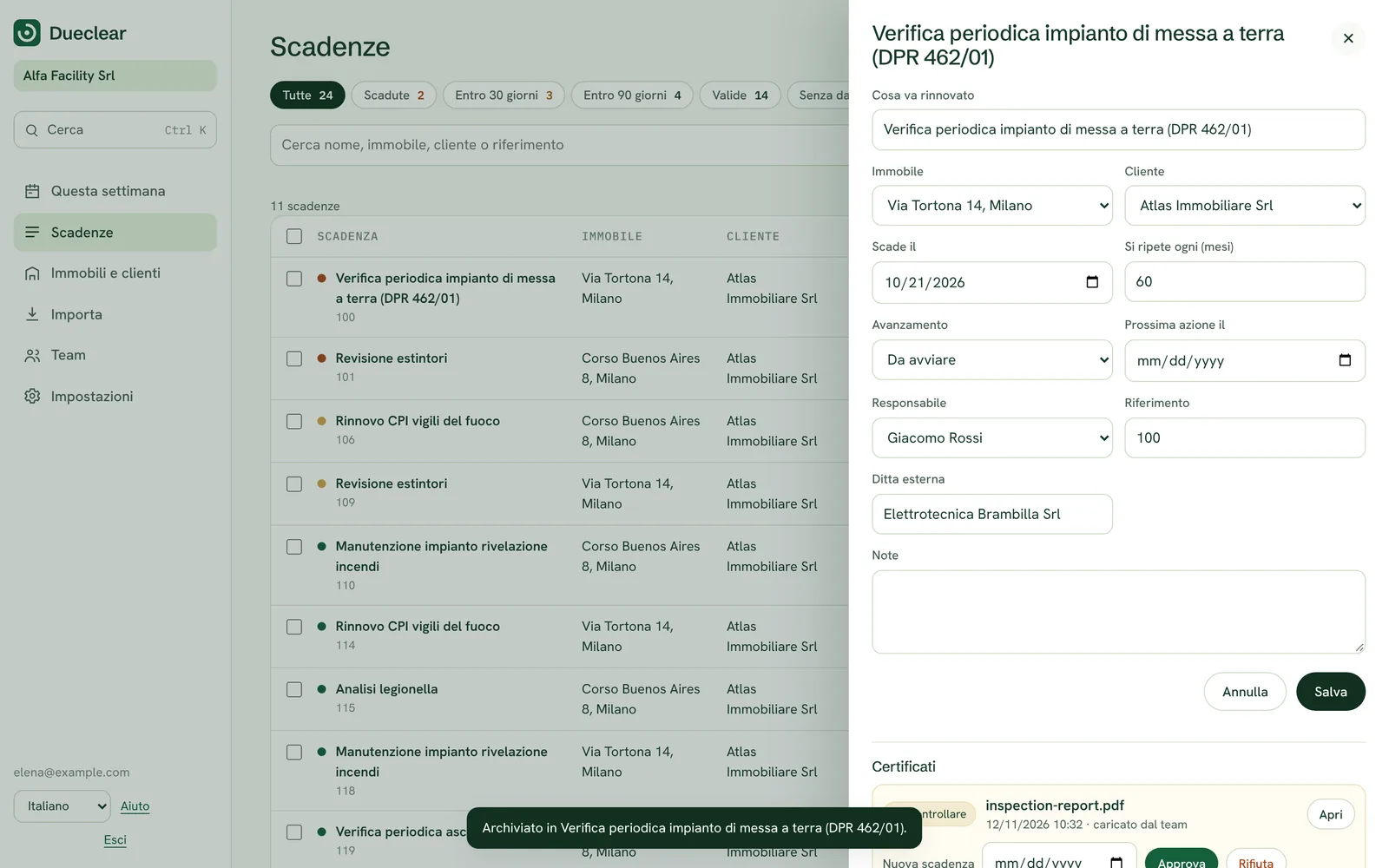
Side by side

The document next to the date it proves.

The reviewer sees the source and the proposed expiry date together, with the previous expiry for comparison. They confirm they have checked the source, the building and the date before approving.

  • Previous and new expiry shown
  • Confirmation required before approval
  • Works for every renewal type
dueclear.app
Source next to dates
Corrections

Send it back with a reason.

When something is wrong, the reviewer writes why. The renewal moves to Needs correction, the reason is recorded, and the contractor can upload again through the same link.

  • Reason recorded
  • Same link for the new upload
  • Stage changes automatically
dueclear.app
History
What a reviewer checks

Five checks a person should make.

Dueclear makes these quick. It does not make them for you.

The right building

The address on the document matches the building on the record.

The right certificate

It is the inspection or document that was due, not a different one.

The expiry date

The date on the document matches the date being recorded.

The issuer

The contractor or inspector is the one you expected, where that matters.

Signed and complete

Pages, signatures or stamps that the document should have are there.

About suggested dates. In the demo, the suggested expiry date is pre-written to show the idea. If automatic date reading is added later, its suggestions will always need a person's confirmation before anything is approved.

Questions about review

Who can approve?

In the real product, owners and admins. You will be able to choose who in your team can approve.

What happens to the old certificate?

It stays in the renewal's history, with its dates, so you can always show what was valid and when.

Does Dueclear check whether a document is legally adequate?

No. Dueclear helps a person check the building, date and document. Whether a document meets the rules for that building is for your qualified people to decide.

Inizia gratis oggi

Gratis per un edificio, con 30 giorni di prova di tutte le funzioni. Nessuna carta richiesta. Preferisci una presentazione? Prenota una demo di 20 minuti.